
Persönliche Benachrichtigungseinstellungen festlegen
Wählen Sie persönliche Benachrichtigungskanäle und Ereignisse auf der Seite Notifications.
Wählen Sie, wie Sie Ihre eigenen Benachrichtigungen erhalten und welche Ereignisse Sie verfolgen möchten.
Ihre Präferenzen festlegen
-
Öffnen Sie die übergeordnete Seite Notifications. Sie benötigen die Berechtigung View notifications settings.
-
Wählen Sie Personal.
-
Aktivieren Sie die gewünschten Kanäle: In-App Notifications, ein verknüpftes Telegram-Konto oder Email.
-
Wählen Sie die gewünschten Ereignisse. Änderungen an den Switch werden direkt übernommen; ein separater Save-Button ist nicht vorhanden.
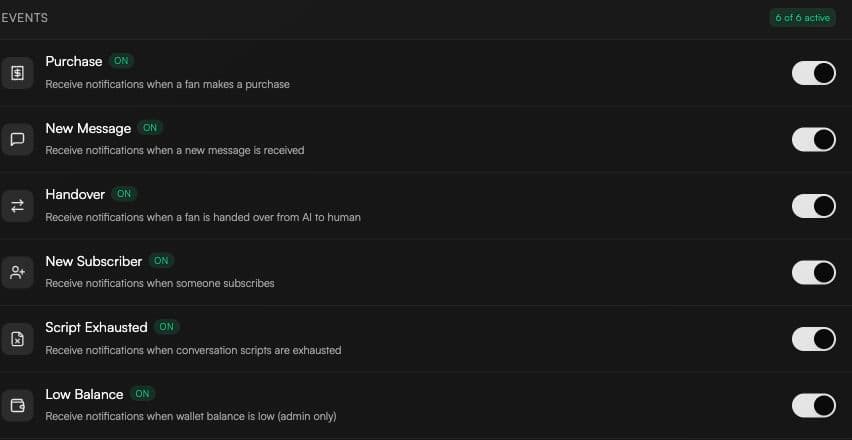
Verfügbare Ereignisse
-
Purchase
-
New Message
-
Handover
-
New Subscriber
-
Script Exhausted
-
Low Balance, wenn Sie über die Berechtigung View billing verfügen
Welche Ereignisse per E-Mail versendet werden
Email wird für Handover- und Low Balance-Benachrichtigungen verwendet. Purchase-, New Message-, New Subscriber- und Script Exhausted-Benachrichtigungen verwenden die anderen aktivierten Kanäle und werden nicht per E-Mail gesendet.
Eine gezielte Aktion Notify employees in einer Automatisierung kann weiterhin eine E-Mail an die ausgewählten Mitarbeiter senden.