Skip to content
SubstyHelp center
API docs Open Substy
Getting startedAI & automationMessages & scriptsTeamWorkspaceBilling & earnings
AI & automation
AI & automation
Overview
How AI Chatter negotiates PPV pricesHow AI Chatter uses conversation memoryCustomize AI Chatter behaviorCompare AI Chatter modesFix AI Chatter when it is not replyingAdd media context to a script templateHandle custom requests with an automationWhat AI Chatter can doComplete creator information for AI ChatterManage banned keywordsConfigure Hybrid Mode and stop conditionsSet script rotation timingHow AI Chatter follows platform guidelinesChoose and manage an AI personaShare AI issue details with supportTest a conversation in AI Playground
What Substy Intelligence can do
Use the Content calendarCreate an automationOnline Message automation availabilityBuild an automation message sequenceChoose an automation audienceSend Telegram alerts from an automation
Help centerAutomation

Create an automation

Open in ChatGPTAsk questions about this pageOpen in ClaudeAsk questions about this page

Create and validate an automation from CRM > Automations with the current visual builder.

1 min readUpdated July 19, 2026

Open CRM > Automations for the selected creator. If creation controls are unavailable, ask an owner or admin to review your access for that creator.

Start the automation

Choose a template or Start from scratch. Templates that do not match the creator's current plan or platform may be hidden or locked.
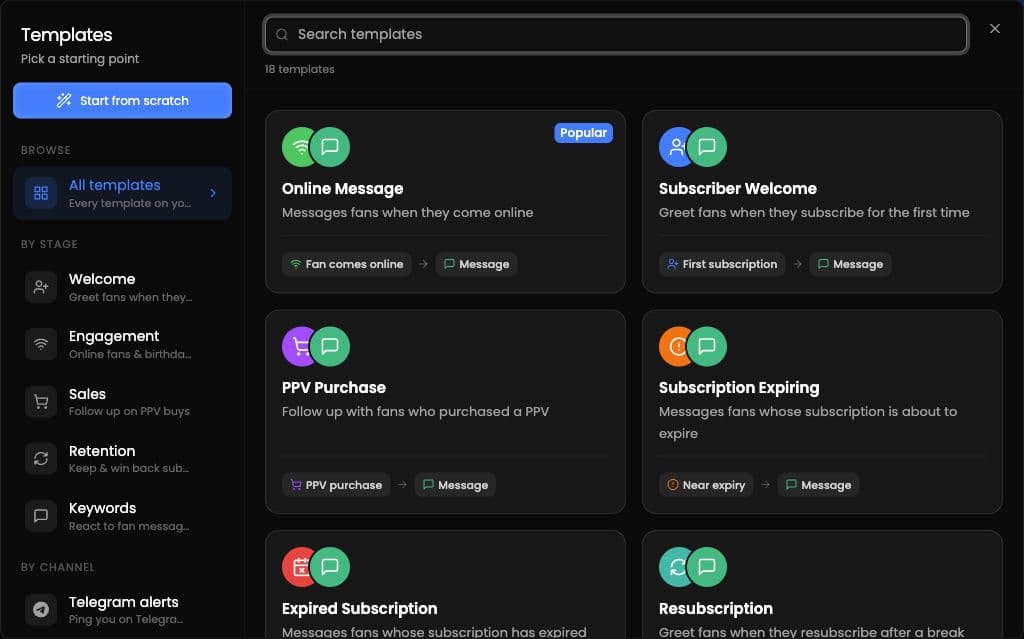
Automation template picker showing starting options and ready-made templates grouped by stage and channel.

Build the automation

In the visual builder:

  1. Enter an automation name.

  2. Choose a trigger.

  3. Set the audience.

  4. Set timing and frequency. If the automation is scheduled, choose a future date and time.

  5. Add one or more actions and complete their required details.

The current actions are Send Message, Stop AI, Notify Employee, and Add to List.

Create New Automation becomes available after the name, trigger, action, required action details, and any required future schedule are complete.

Check before creating

Preview as fan is available for message automations. Simulate performs a dry run without sending messages.

Related articles

Use the Content calendarOnline Message automation availabilityBuild an automation message sequence

Still need help? Open Substy and contact support.

On this page

Start the automationBuild the automationCheck before creating

Ask AI

Answers from the Substy help center, with sources.

What would you like help with?

Answers from the Substy help center, with sources.